Youtube ReVanced guide
This guide walks you through the complete process of patching YouTube ReVanced directly on an Android phone using ReVanced Manager. It also explains all the important settings and configuration options that should be reviewed or modified to ensure optimal functionality.
Skip to Instructions ➧Disclaimer
Avoid installing untrusted APKs from unknown sources. That’s why this post does not provide a precompiled APK. Please compile it yourself and share it with your friends.
Note
Although ReVanced is a general-purpose tool capable of patching many applications, this guide is specifically focused on using ReVanced Manager to patch YouTube.
Support your creators
- Buy their merchandise, subscribe to their Patreon, or join their membership programs.
- Purchasing even a single piece of merchandise often supports them more financially than watching all their videos with ads.
- And there are many other ways to directly support their work.
Instructions
- Download & Install both Revance Manager & ReVanced MicroG
- Open ReVanced Manager > Patcher >
Select an APP(i prefer APK Mirror) - Search app via suggested version & then download the APK (do not install).
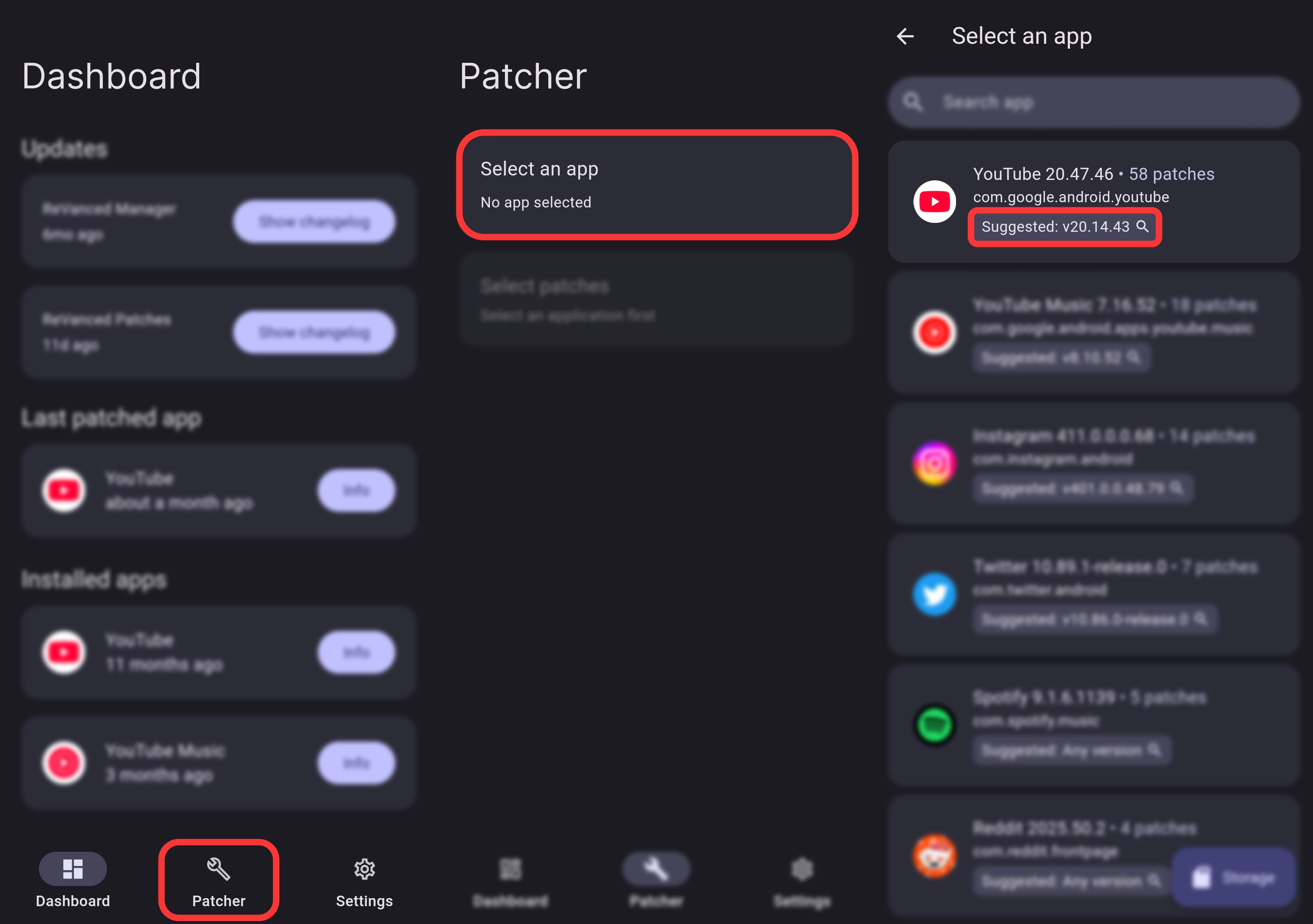
- Select Patches > Default ( List of all patches )
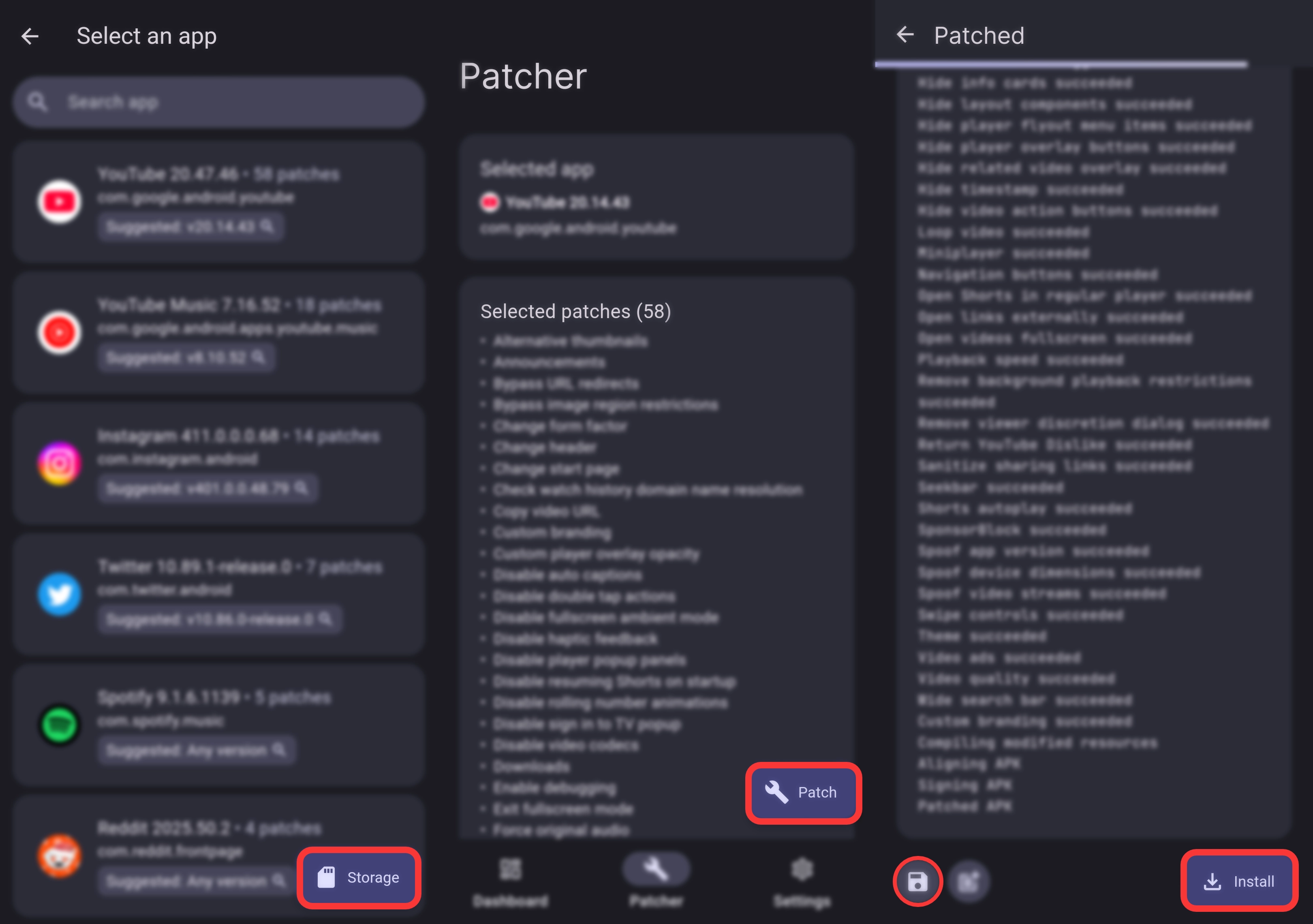
- Click on
Patchbutton - Save APP to storage & install it!
Login Instructions
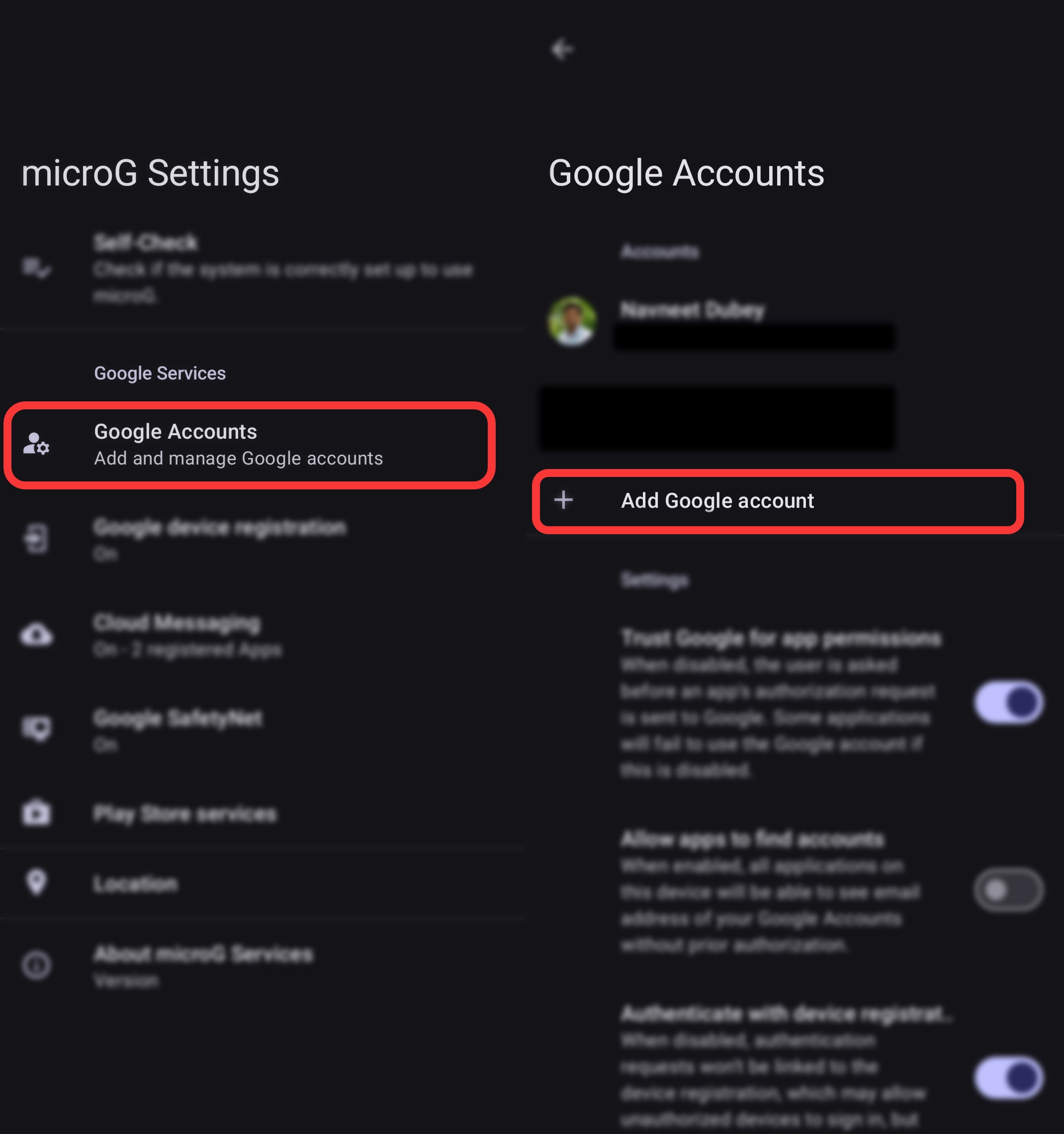
- Open ReVanced MicroG
- Login With your google account
Info
This step is necessary to login to YouTube ReVanced
Recommended
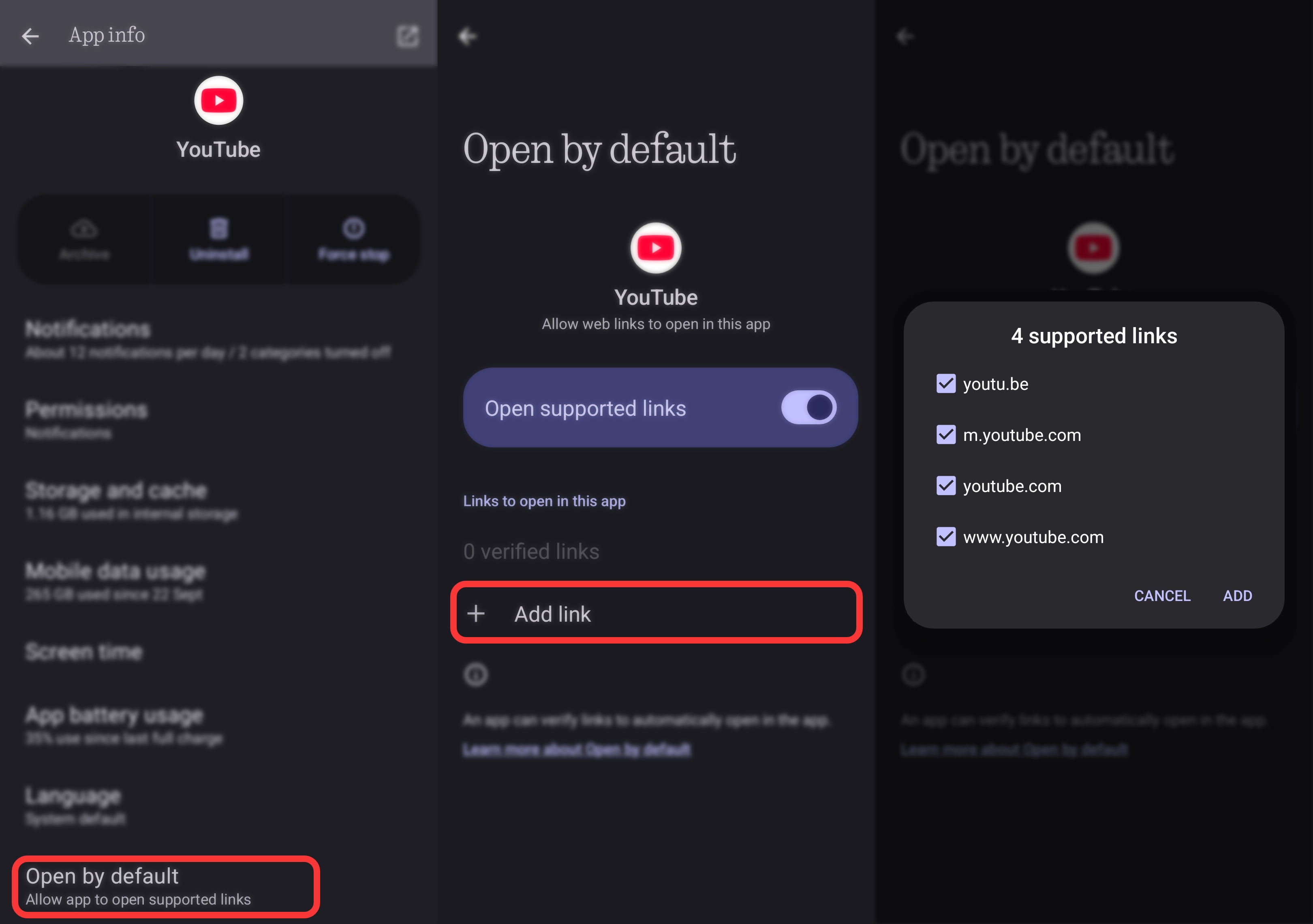
- Disable the original Youtube App
- Allow YouTube ReVanced to Open links
Modify ReVanced Settings
Profile > Settings > ReVanced Settings
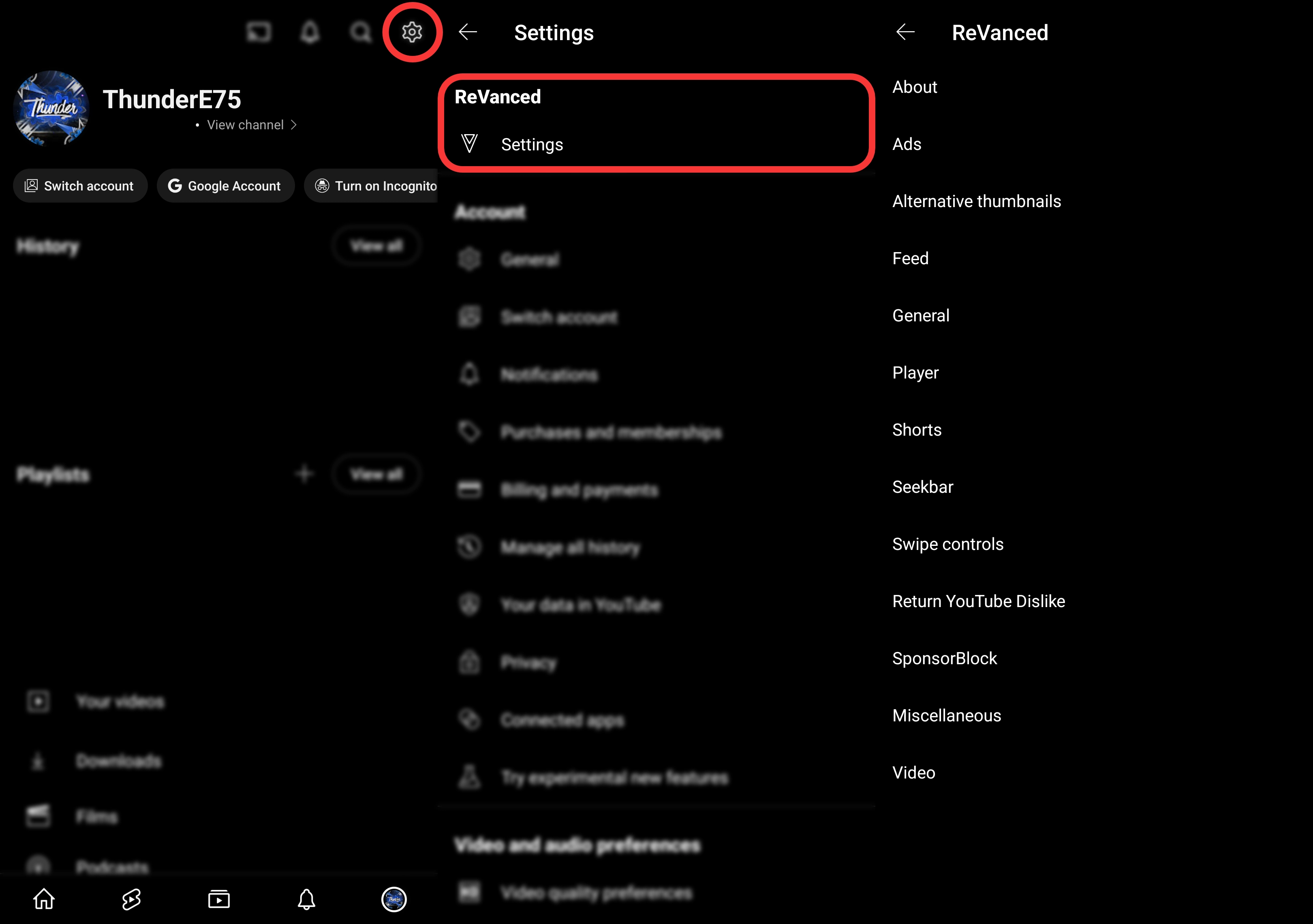
Recommended settings that needs to be changes
- ReVanced Settings > SponsorBlock
- ReVanced Settings > Shorts
- ReVanced Settings > Seekbar
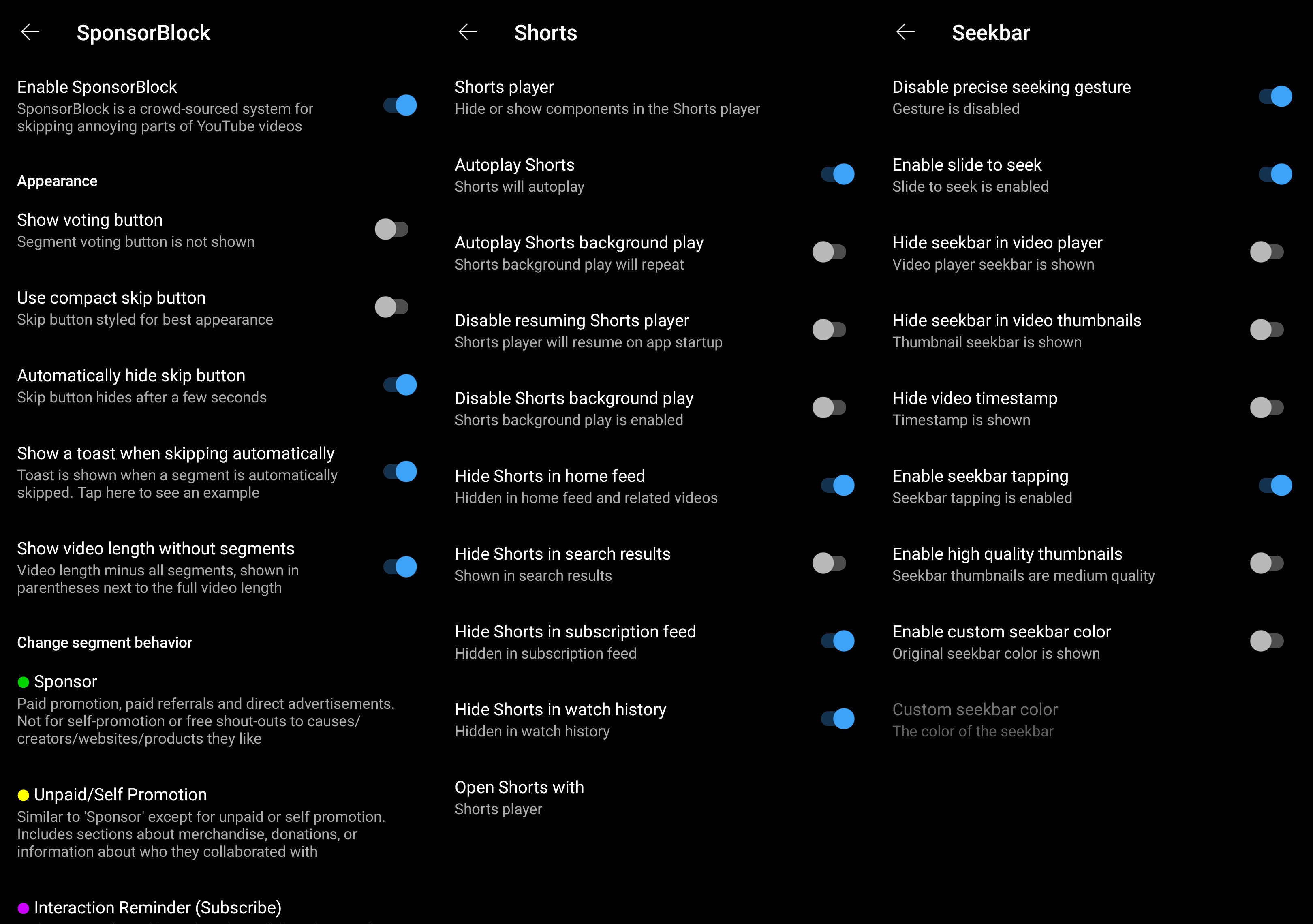
Features of ReVanced
- SponsorBlock: Skip in-video sponsor segments.
- Block ADs completely (Banner, Fullscreen, between shorts, etc)
- Disable Shorts completely / make them non intrusive.
- Make shorts autoscroll.
- Restore original seeker behavior.
- Hide UI elements like the
createbutton. - and many more…
Useful Links
- ReVanced Website: https://revanced.app/
- ReVanced Github Repository: ReVanced/revanced-manager
- Official Documentation by ReVanced: Docs
- Documentation for Troubleshooting: Docs/Troubleshooting
- List of all patches
View comments
Hide comments
View comments
Hide comments